Financial Goals
How to Create a Personal Money Dashboard (One Place for Everything)

Checking a budget in one app, savings progress in a separate note, and debt payoff status in a third spreadsheet makes it hard to see the whole financial picture at once — and harder still to notice how the pieces actually relate to each other. A single dashboard view consolidates all of it into one place, checked in one sitting.
Why a Consolidated View Matters
Financial decisions rarely affect just one area in isolation. An extra debt payment affects available savings capacity; a savings goal reaching its target might free up money for something else. When budget, savings, and debt are tracked in separate, disconnected places, these relationships are easy to miss — each piece gets reviewed on its own, without the full context of how it connects to everything else.
What a Personal Money Dashboard Should Show
Budget category totals, actual spending against planned amounts, ideally with a clear visual signal for categories running over pace.
Savings goal progress, for each active goal — current amount, target, and how close it is, covered in more depth in How to Track Savings Progress.
Debt payoff progress, current balances against the calculated payoff timeline from How to Create a Debt Payoff Plan.
A quick overall snapshot — something as simple as total assets versus total debt, or a combined view of progress across all active goals, giving a fast sense of overall direction without needing to review every individual number.
Building One From Scratch
A dashboard doesn't require dedicated software — a well-structured spreadsheet, with sections for budget, savings, and debt pulling from the same underlying data, can function just as effectively. The key requirement isn't the tool; it's consolidation — having everything in one place rather than split across several separate documents or apps that each need to be opened individually.
Keep It Simple Enough to Actually Use
A dashboard with too many metrics, charts, and categories can become as hard to parse as the separate tools it was meant to replace. Focusing on the core numbers — budget, savings, debt, and a quick overall snapshot — tends to be more genuinely useful than an exhaustive dashboard that takes real effort to interpret each time it's checked.
Connect the Dashboard to the Existing Routine
A dashboard is only as useful as how often it's actually checked. Building it into the weekly check-in and monthly financial checkup routines already in place means it gets reviewed consistently, rather than existing as a separate tool that competes for a slot in an already busy routine.
Update It as Goals and Priorities Change
A dashboard built around goals that are no longer current — a debt that's since been paid off, a savings goal that's been replaced by a new priority — stops being useful even if the numbers on it are technically accurate. Updating what the dashboard tracks whenever priorities shift keeps it relevant, rather than becoming outdated in a way that undermines the whole point of having a consolidated view.
What a Working Dashboard Changes
The financial information itself doesn't change by consolidating it into one view — but the ease of seeing the whole picture at once does. Decisions that require weighing tradeoffs between goals — redirecting money from one priority to another, deciding how to allocate an income increase — become easier to make well when every relevant number is visible together, rather than requiring several separate documents to be opened and cross-referenced first.
Getting Started
Pick the core numbers — budget, savings, debt, and a quick overall snapshot — and bring them into one place, whether that's a spreadsheet or a dedicated tool. The specific format matters less than the consolidation itself, and the value compounds every time it's actually used as part of a regular routine.
Want budget, savings, and debt already brought together in one dashboard instead of building your own from scratch? MoneyMap is built to be exactly this — one place for the whole picture.
Frequently asked questions
What's the core benefit of a single money dashboard over separate tools?
Seeing the whole financial picture at once, rather than piecing it together from several disconnected sources. This makes it easier to notice how different parts of the plan actually relate to each other.
What should a personal money dashboard actually show?
At minimum: budget category totals against actual spending, savings goal progress, and debt payoff progress — the three core pieces most personal finance plans are built from.
Does a dashboard need to be a dedicated app or software?
Not necessarily — a well-built spreadsheet can function as a dashboard just as effectively, as long as it consolidates the same information in one place rather than requiring several separate documents.
How often should the dashboard actually be checked?
As part of the regular weekly and monthly review habits already in place — the dashboard's value comes from being checked consistently, not from its design alone.
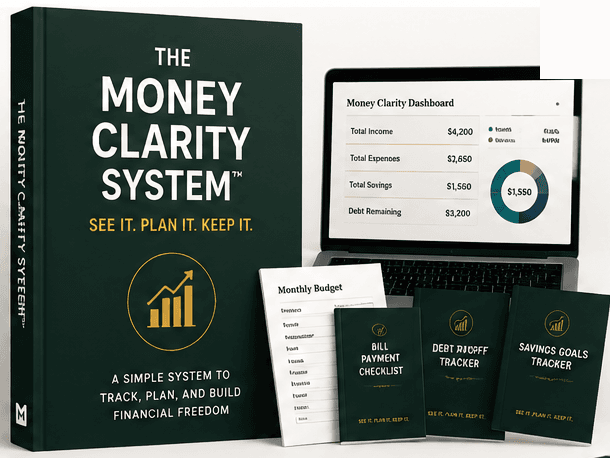
The Money Clarity System™
Ready to actually track it, not just read about it?
The full guide, dashboard, planner, challenges, and bonuses — one payment, lifetime access.
Related articles

Money Management
How to Organize Your Personal Finances (A Complete System)
Disorganized finances aren't usually about the amount of money involved — they're about information (bills, accounts, documents) scattered with no single system holding it together.
3 min read

Saving Money
How to Track Savings Progress (So It Actually Feels Real)
Money quietly building in an account doesn't feel like progress unless it's actually visible. Tracking is what turns saving from an abstract habit into something motivating.
3 min read

Money Management
The Monthly Financial Checkup: A Simple Recurring Routine
A monthly financial checkup is broader than a spending review — it's a short routine that checks the whole picture: budget, savings, debt, and goals together.
3 min read

Financial Goals
How to Build a Money Management Routine You'll Actually Keep
A money management routine works best as layers — small daily habits, a slightly bigger weekly check-in, and a broader monthly review — each doing a different job.
3 min read