Financial Goals
How to Automate Your Savings So It Actually Happens

Manual saving depends on two things happening every single month: remembering to do it, and actively deciding to follow through in a moment that often competes with other spending priorities. Automation removes both requirements, which is most of why it tends to produce far more consistent results than good intentions alone.
Why Automation Outperforms Manual Saving
A manual transfer requires a decision each time — and decisions made repeatedly, especially ones that involve giving something up in the moment, are exactly the kind of decisions most likely to get skipped when motivation is low or a competing expense feels more urgent. An automated transfer happens regardless of that month's motivation level, which is precisely the point.
This isn't about avoiding engagement with savings goals — it's about making the mechanical part of achieving them not depend on willpower being available at exactly the right moment every month.
Step 1: Choose a Separate Account
Savings automated into the same account used for everyday spending tends to get absorbed back into regular purchases without much friction. A separate account — ideally one that takes a small extra step to access, like a different bank or a savings-specific account — creates just enough distance to protect the money from casual spending.
Step 2: Time the Transfer to Income, Not the Calendar
Scheduling the automatic transfer for the same day or the day after income arrives means the money moves before it has a chance to be spent on anything else. A transfer scheduled for a fixed calendar date, disconnected from when income actually lands, risks moving money that's already been spent, resulting in overdrafts or a failed transfer.
Step 3: Start With a Sustainable Amount
An automated amount that's too aggressive for the actual budget tends to get paused or canceled within a few months, which defeats the purpose. A smaller, genuinely sustainable amount that continues every month, uninterrupted, produces more real savings over a year than a larger amount that only lasts a couple of months before being abandoned.
Step 4: Assign the Automated Savings a Specific Purpose
Money automated into an account with no defined goal is easier to eventually raid for something unrelated. Assigning it to a specific target — an emergency fund, a defined savings goal, covered in How to Set Savings Goals — gives the automation a clear, motivating purpose beyond just "money set aside."
Step 5: Increase the Amount Gradually, Not All at Once
Once the initial automated amount feels comfortable and sustainable, increasing it gradually — after a raise, after a debt is paid off freeing up its former payment amount — builds toward a larger savings rate without the risk of an abrupt increase that turns out to be unsustainable.
Step 6: Use Built-In Flexibility When Genuinely Needed
Most banks allow pausing or adjusting a scheduled automatic transfer. Using that flexibility deliberately during a genuinely tight month — rather than letting an overdraft happen, or abandoning the automation entirely — keeps the underlying system intact for when the budget normalizes again.
What Undermines Automated Savings
Scheduling the transfer for a fixed date disconnected from income timing, risking a failed transfer or overdraft.
Setting an unsustainable amount that gets abandoned within a few months.
Using the same account for savings and spending, removing the protective friction a separate account provides.
Treating automation as "set and forget" forever, without occasionally revisiting whether the amount still makes sense.
Setting Up Automation This Week
Open a separate account if one doesn't already exist, choose a sustainable amount, and schedule the transfer for the same day income arrives. This is a one-time setup step that removes an ongoing monthly decision — exactly the kind of structural change that tends to outperform relying on willpower and memory month after month.
Want your savings automation tracked against a specific goal automatically? MoneyMap includes a savings tracker that shows progress as your automated contributions add up.
Frequently asked questions
When should an automatic savings transfer be scheduled?
As close as possible to when income actually arrives — the same day or the day after — so the money moves before it has a chance to be absorbed into regular spending.
What if the automated amount doesn't work for a specific tight month?
Most banks allow adjusting or pausing a scheduled transfer as needed — using that flexibility deliberately, when genuinely necessary, is better than abandoning the automation altogether over one difficult month.
Should savings automation go to the same account as everyday spending?
No — a separate account, ideally one that's slightly less convenient to access than the main checking account, both clarifies the money's purpose and adds a small amount of helpful friction against spending it impulsively.
Is automating a small amount still worthwhile?
Yes — a small, automated, consistent amount tends to produce more real savings over a year than a larger amount saved manually and inconsistently, since the automation removes the risk of it simply not happening some months.
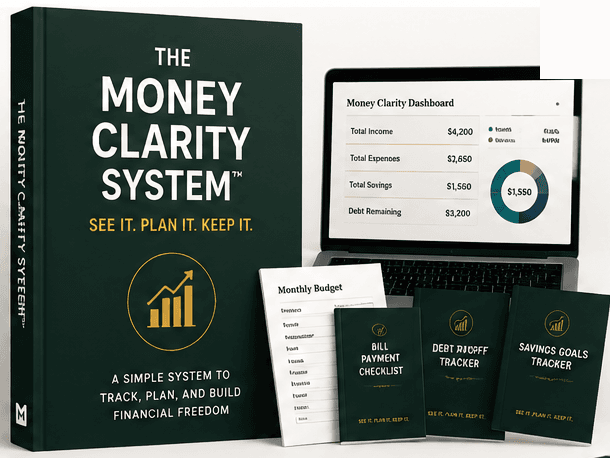
The Money Clarity System™
Ready to actually track it, not just read about it?
The full guide, dashboard, planner, challenges, and bonuses — one payment, lifetime access.
Related articles

Saving Money
How to Save Money Every Month (Consistently, Not Just Occasionally)
Saving "whatever's left" at the end of the month rarely produces consistent results, because there's rarely much left by the time it's checked. A different structure works better.
3 min read

Saving Money
How to Build a Savings Plan That Covers Multiple Goals
A single savings account trying to serve several goals at once makes it hard to know how any one of them is actually progressing. A structured plan separates them clearly.
4 min read

Saving Money
How to Set Savings Goals You'll Actually Reach
A savings goal without a number and a deadline isn't really a goal — it's a hope. The difference between the two is what determines whether it actually gets reached.
4 min read

Financial Goals
How to Build a Money Management Routine You'll Actually Keep
A money management routine works best as layers — small daily habits, a slightly bigger weekly check-in, and a broader monthly review — each doing a different job.
3 min read